AUTOMATIONSOLVER

Ladder logic · Motor control · Puzzle game

Make the rung remember

Program a Mitsubishi-style PLC on a grid editor, hit Run, and watch power flood the rung while a real machine moves in 3D beside it. Fifty-three work orders take you from one contact driving one coil to a PID loop holding a tank on setpoint, and on to a whole excavator plant written in seven program sections, where the job is no longer to make a machine work but to find out which of six stations is holding the line up.

Work orders
53
Categories
12
Scan cycle
50 ms
Rung 01 · editable SCANNING
Y0 MOTOR OFF
Scenarios

    Work order: the motor must run when X0 is pressed, keep running after it is released, and stop on X1. A momentary button only makes contact while it is held, so the rung has to remember. Place a parallel Y0 contact around the start button to hold itself in.

    The bench

    Three columns, all live at once

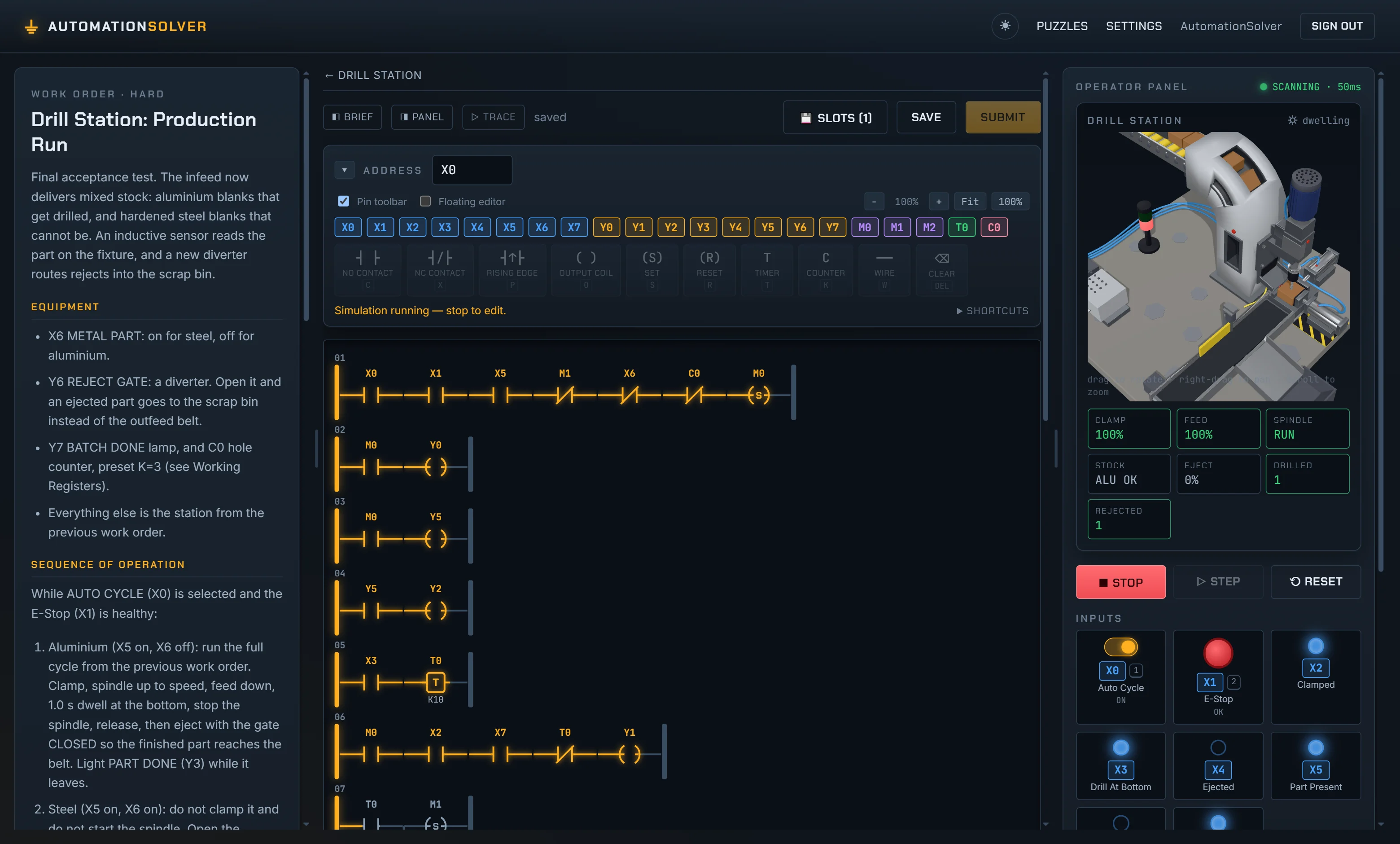
    The work order reads like a machine manual. The editor is a grid you fill with contacts, coils, timers and function blocks. The operator panel has real push buttons, e-stops, lamps and analog trends bound to X and Y addresses. Press Run and the rung lights up cell by cell as power floods it from the left rail.

    work order 32 · drill station: production run
    AutomationSolver in play: the work-order brief on the left, the ladder editor in the center with a seven-rung drill program glowing amber, and the operator panel on the right showing the 3D drill station and its live I/O.

    Keyboard first

    One letter places an instruction, arrows move the selection across rungs, and digit keys hold operator buttons, so the two-hand safety press can genuinely need both hands.

    Replay the failure

    Every failing scenario gets a button that re-runs it scan by scan with a scrubber. Jump to the first failing scan and watch the rung that did it.

    Trace strip

    A logic-analyzer view, one row per device, filled where the bit is high. Word registers draw as strip charts, because a regulator cannot be judged from one number.

    The machines

    The 3D view is an instrument, not a cutscene

    Nothing animates on its own. Every transform is a pure function of the state the process model computed from this scan's dt, so what you see is what the grader saw. Five scenes are hero models authored in Blender and loaded as glTF; three are drawn procedurally, because when the subject is a number moving, a grid of stock, or the same excavator seen at every stage of its own build, a shape that is that state reads better than a model whose parts you would only be switching on and off.

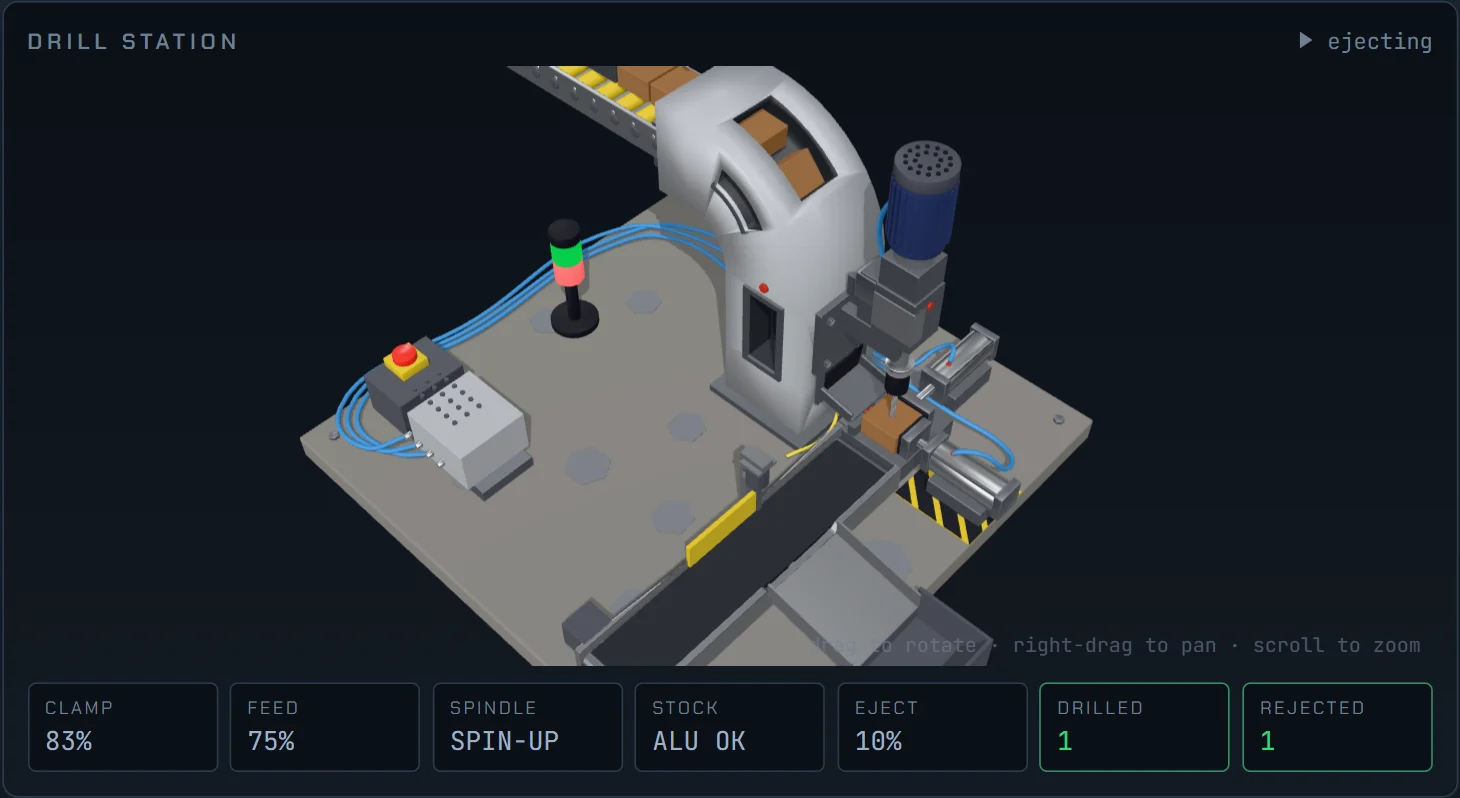
    The 3D drill station: a clamped block under a spindle head, with a warning beacon, an eject pusher and a reject chute.

    Drill Station glTF

    Clamp, spin up, drill, sort

    Advance the feed into an unclamped part and the bit snaps. Mixed stock arrives on the infeed, and hardened steel has to go down the reject chute undrilled.

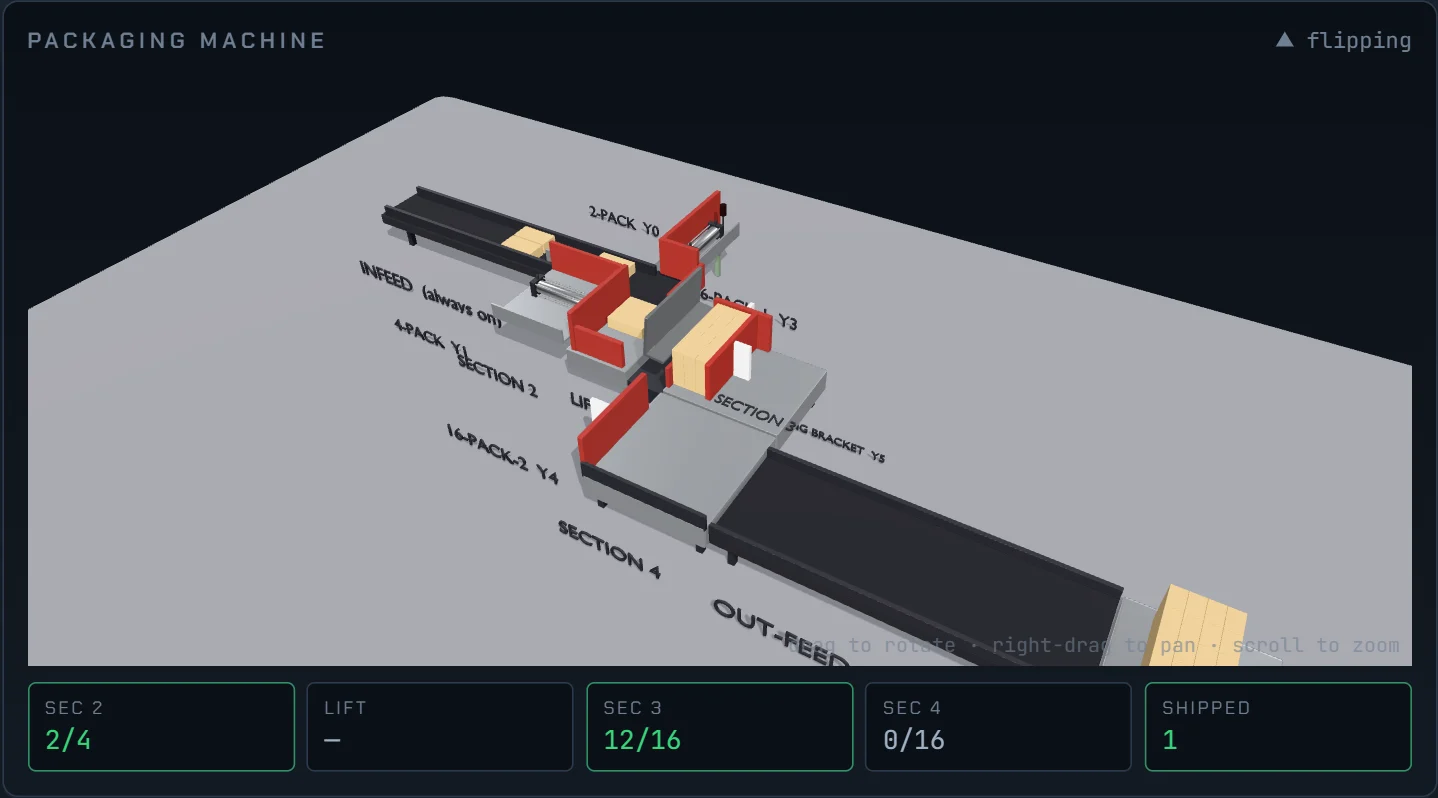
    The 3D packaging machine: pusher plates, a flipping lift and cartons grouped on an out-feed belt.

    Packaging Machine glTF

    Group boxes 2 → 4 → 16

    Six double-acting actuators, a lift that flips its load over a wall so cartons stand on end, and a retaining bracket holding the stack up while a plate sweeps past it.

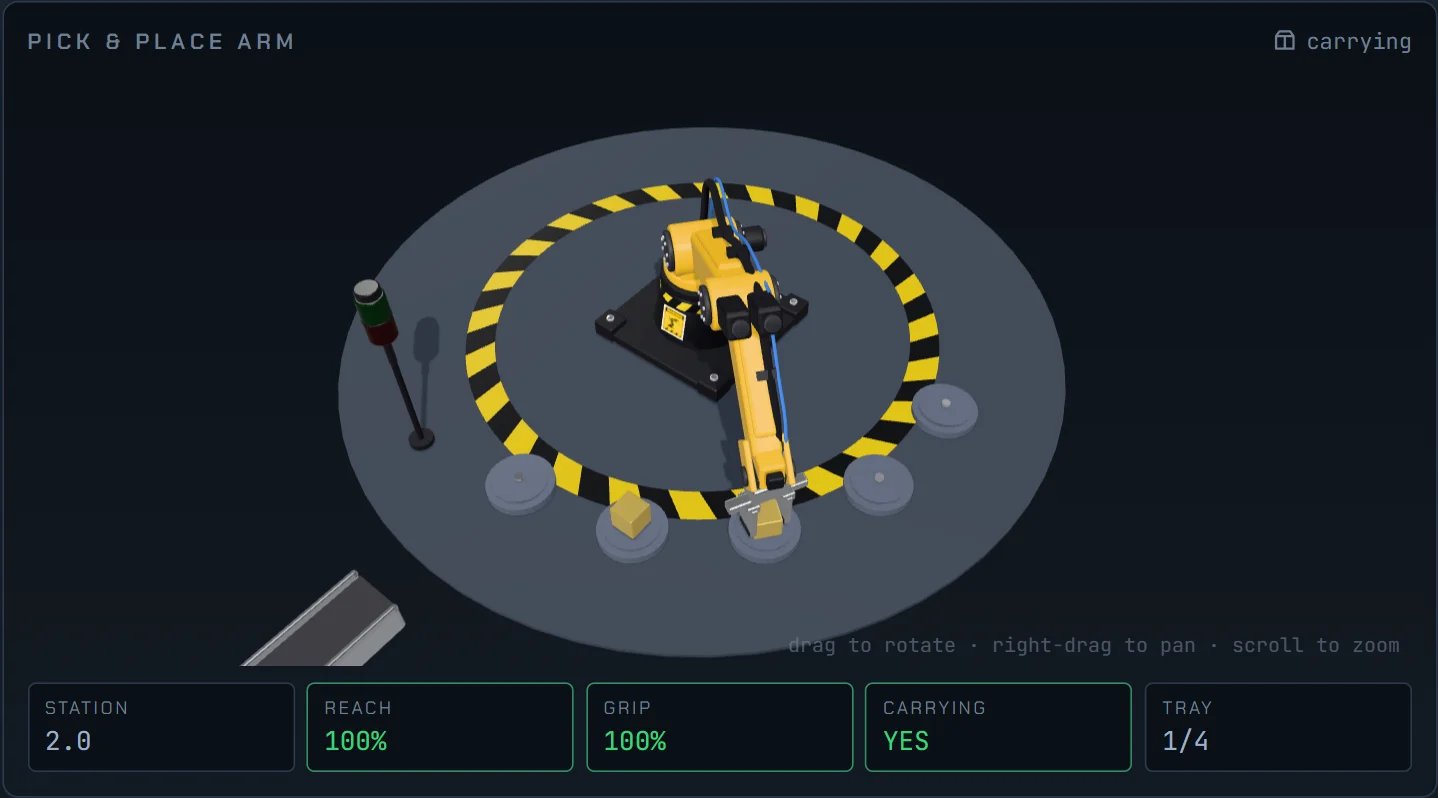
    The 3D pick and place arm: an articulated arm over a tray of pads inside a yellow safety ring.

    Pick & Place glTF

    One part at a time

    A two-link arm reaches on an IK path so the gripper stays plumb. It cannot swing with the reach extended, and placing into an occupied pad is a jam, not a warning.

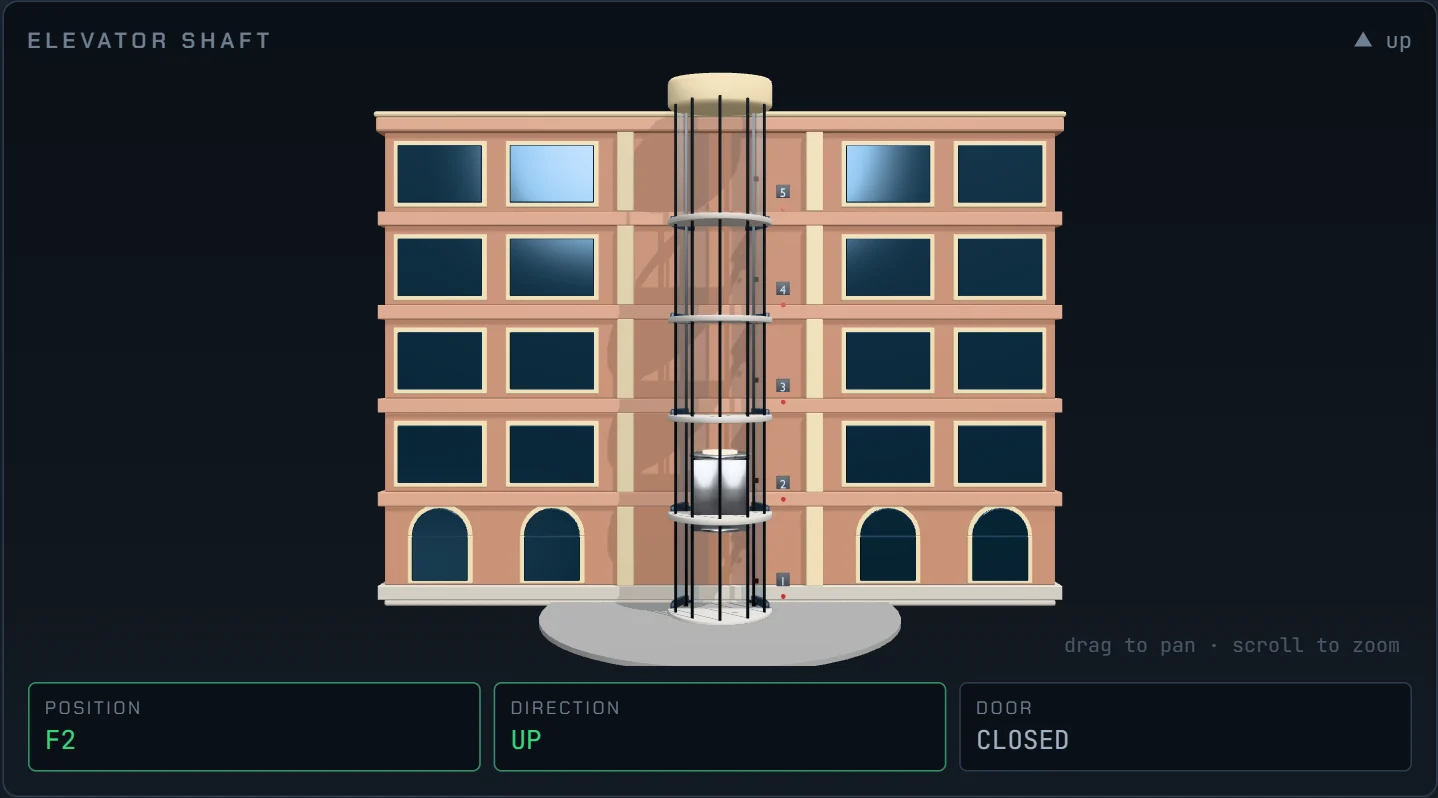
    The 3D elevator shaft: a five-story cutaway building with a car on cables between floors.

    Elevator glTF

    Five floors, and doors that mean it

    The door interlock is enforced in the machine, not the grader: command the car with the doors open and it simply refuses to move.

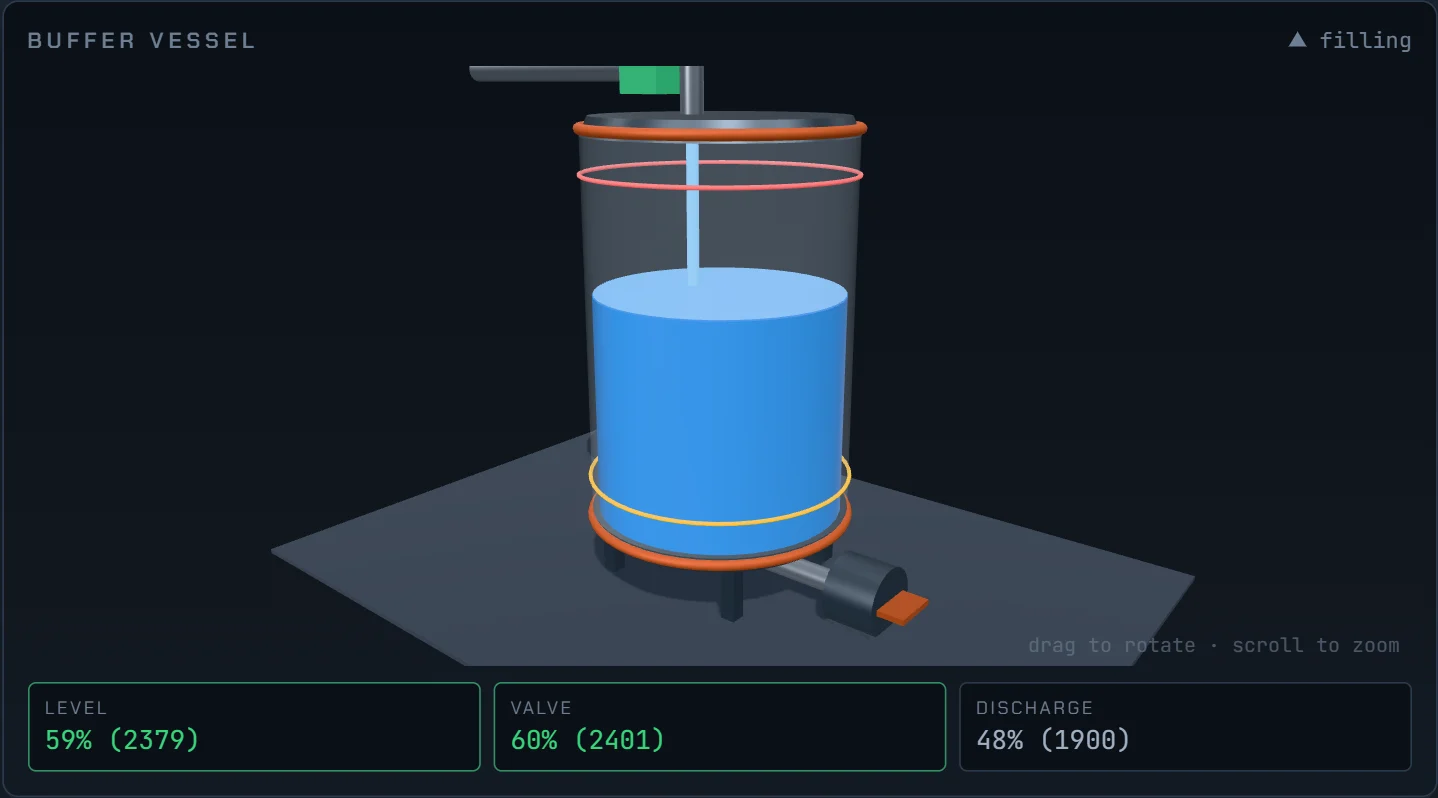
    The 3D buffer vessel: a glass tank with a blue liquid column, an inlet stream and float-switch trip rings.

    Process Control procedural

    The liquid column is the register

    The inlet stream's radius is the valve opening, so a modulating valve is legible at a glance. Transmitters report raw counts; scaling them is the first lesson.

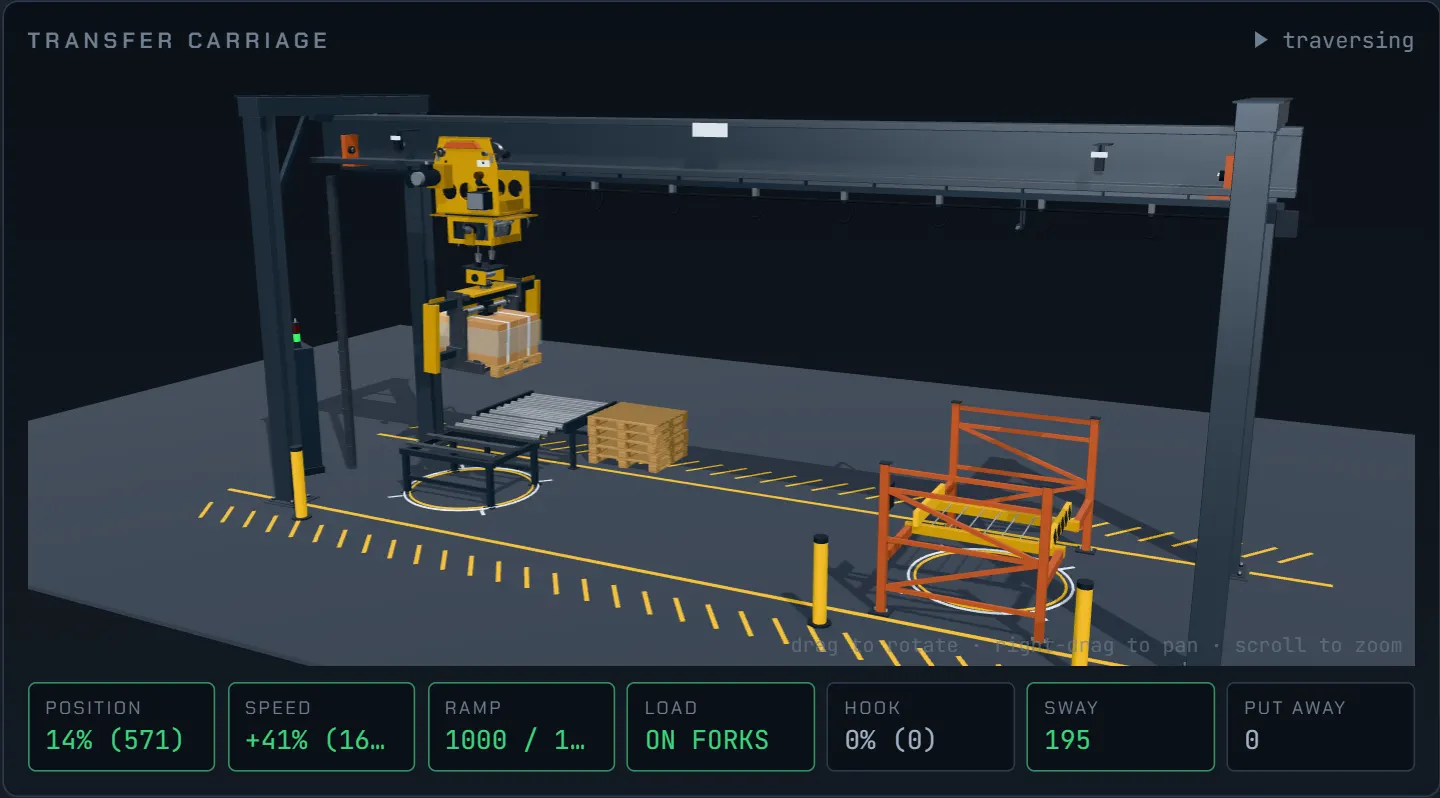
    The 3D transfer carriage: a gantry crane with a hoist trolley carrying a pallet on forks, above a pick conveyor and a rack.

    Motion Control glTF

    A speed reference is not a position

    The drive ramps toward whatever the accel and decel parameter registers currently say, and the load keeps swinging on its rope after the trolley stops.

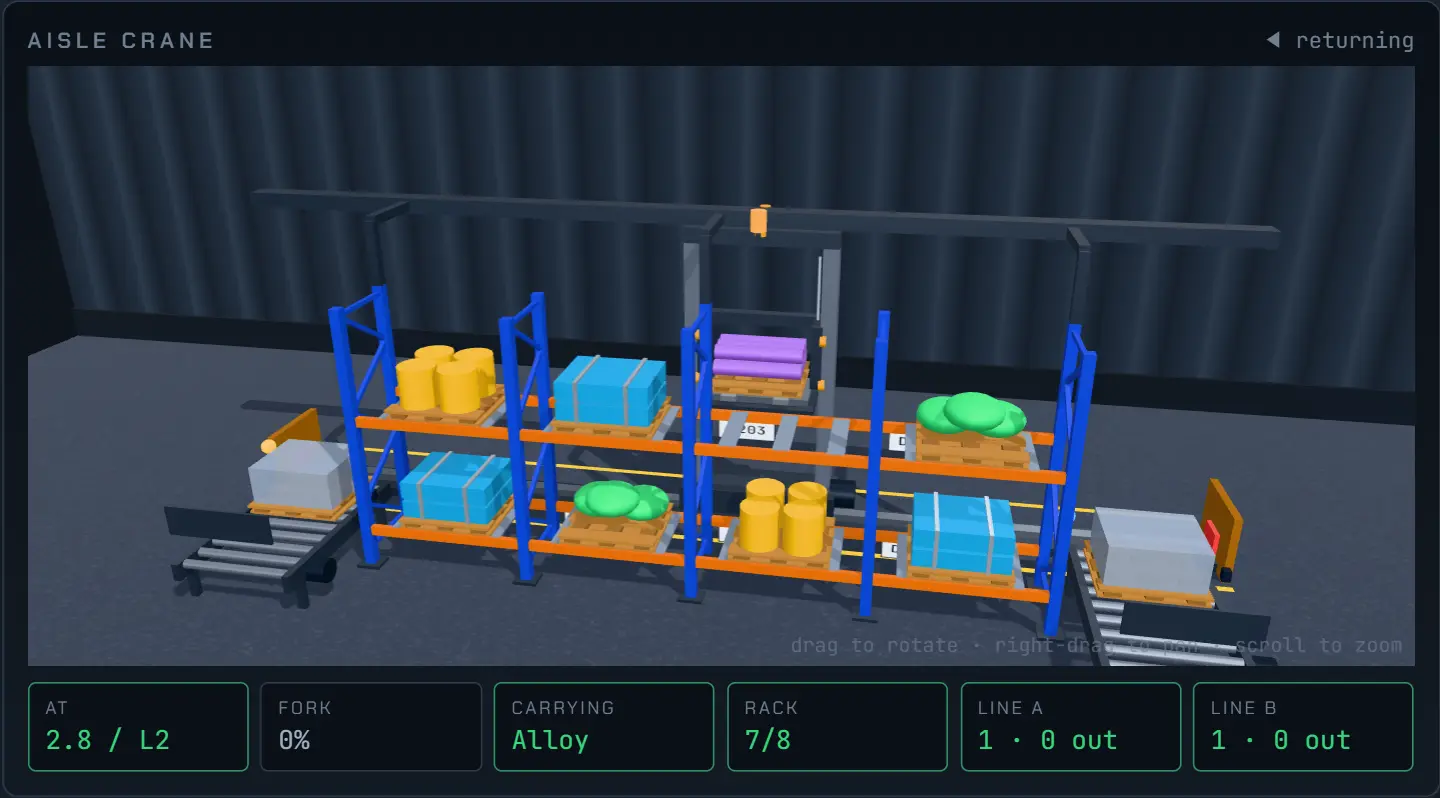
    The 3D automated warehouse: a twin-mast stacker crane in an aisle of blue and orange racking, carrying a pallet of alloy bar past eight loaded slots.

    Automated Warehouse procedural

    Eight slots, two lines, one crane

    Every slot wears the WMS register the program reads, and every material has its own load shape as well as its own color, so a mis-delivery is visible before the grader says so.

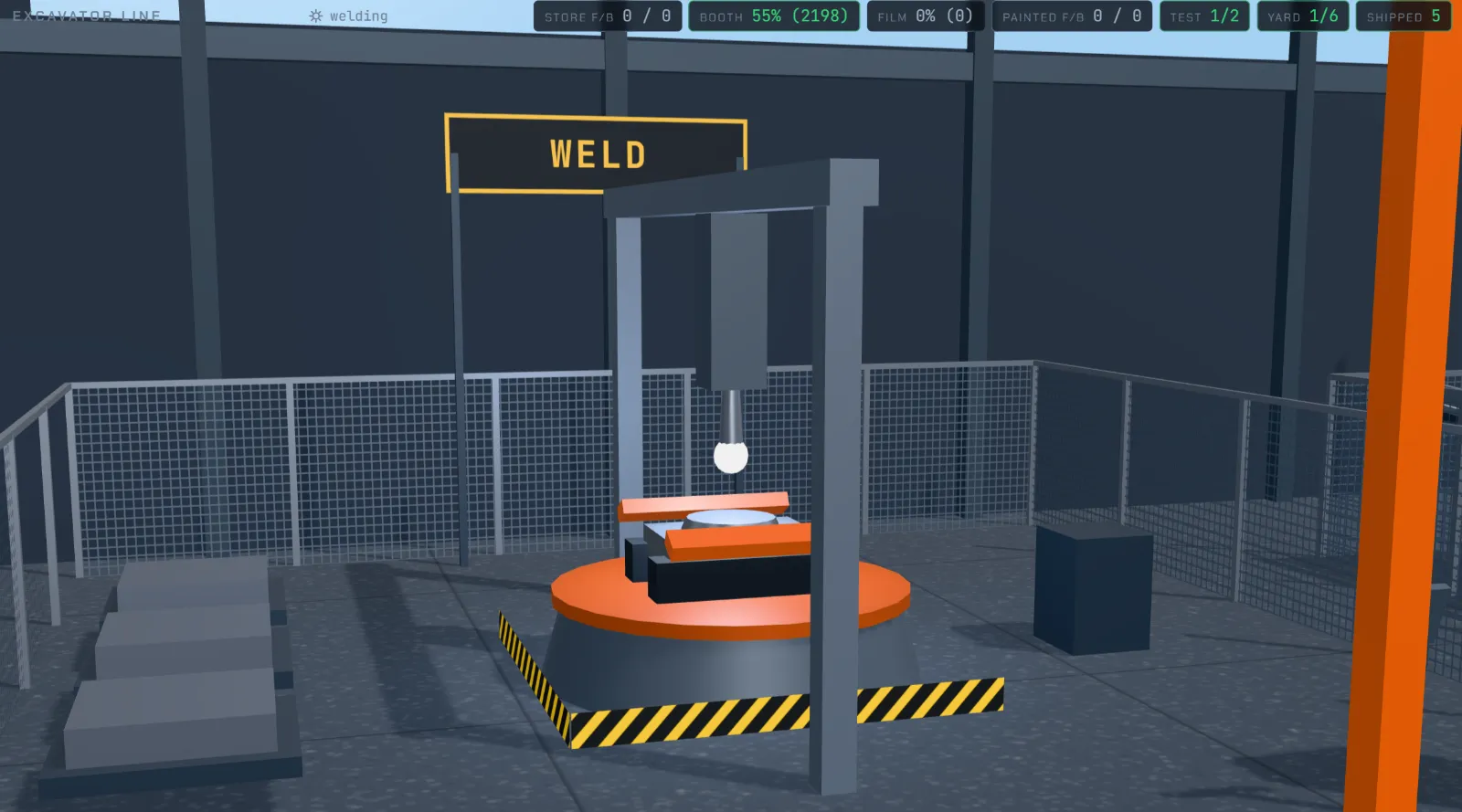
    The weld bay on the excavator line: an excavator frame clamped to a rotating positioner under a torch that is striking an arc, inside a mesh-guarded cell with blanks stacked beside it.

    Excavator Plant procedural

    One bay of six, mid-seam

    Drawn in code rather than imported, because the same excavator is on screen at every stage of its own build: the geometry has to grow parts and recolor them as it moves down the line.

    Second genre

    Or put the ladder away and wire a cabinet

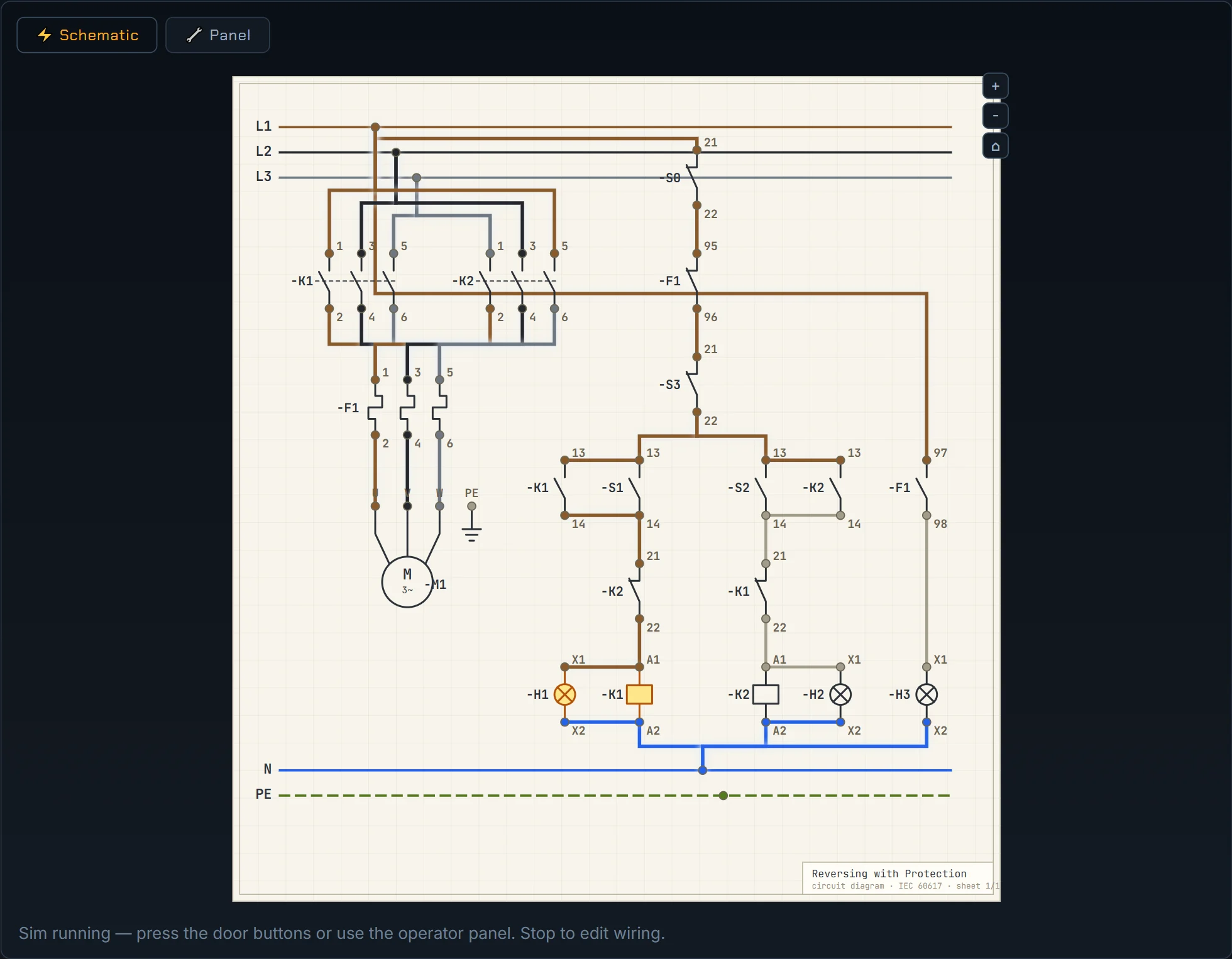
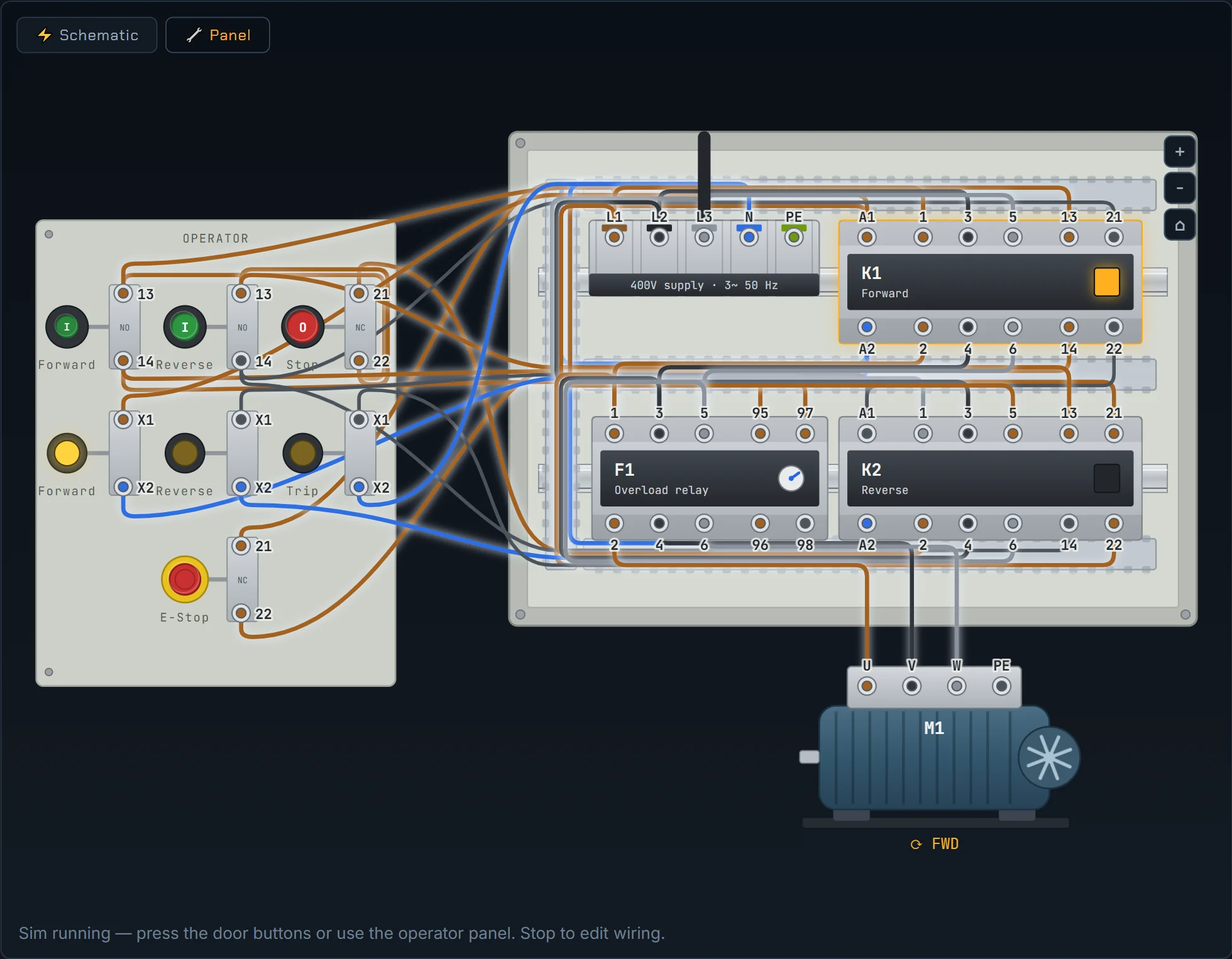
    Six work orders drop ladder logic entirely. You wire the terminals of fixed components using IEC numbering, and the same document is editable from two views. Wires and terminals color by live net potential. Merge two supply potentials onto one net and the breaker trips, exactly as it would in the panel.

    The schematic view: an IEC circuit diagram on white drawing paper, with supply rails, contactor coils and cross-referenced parts.

    Schematic view

    An IEC diagram on drawing paper

    Components break into their distributed parts with -K1 cross-references, and wires run as Manhattan paths between them.

    The panel view: an illustrated enclosure with DIN rails, wire ducts, contactors, a door strip of operators and a motor.

    Panel view

    The same circuit, in the enclosure

    DIN rails, slotted ducts, a door strip of real operators and a finned motor. Wires route orthogonally through the ducts, and door wires hang as a loose harness.

    The excavator plant

    Then stop programming a machine and program a line

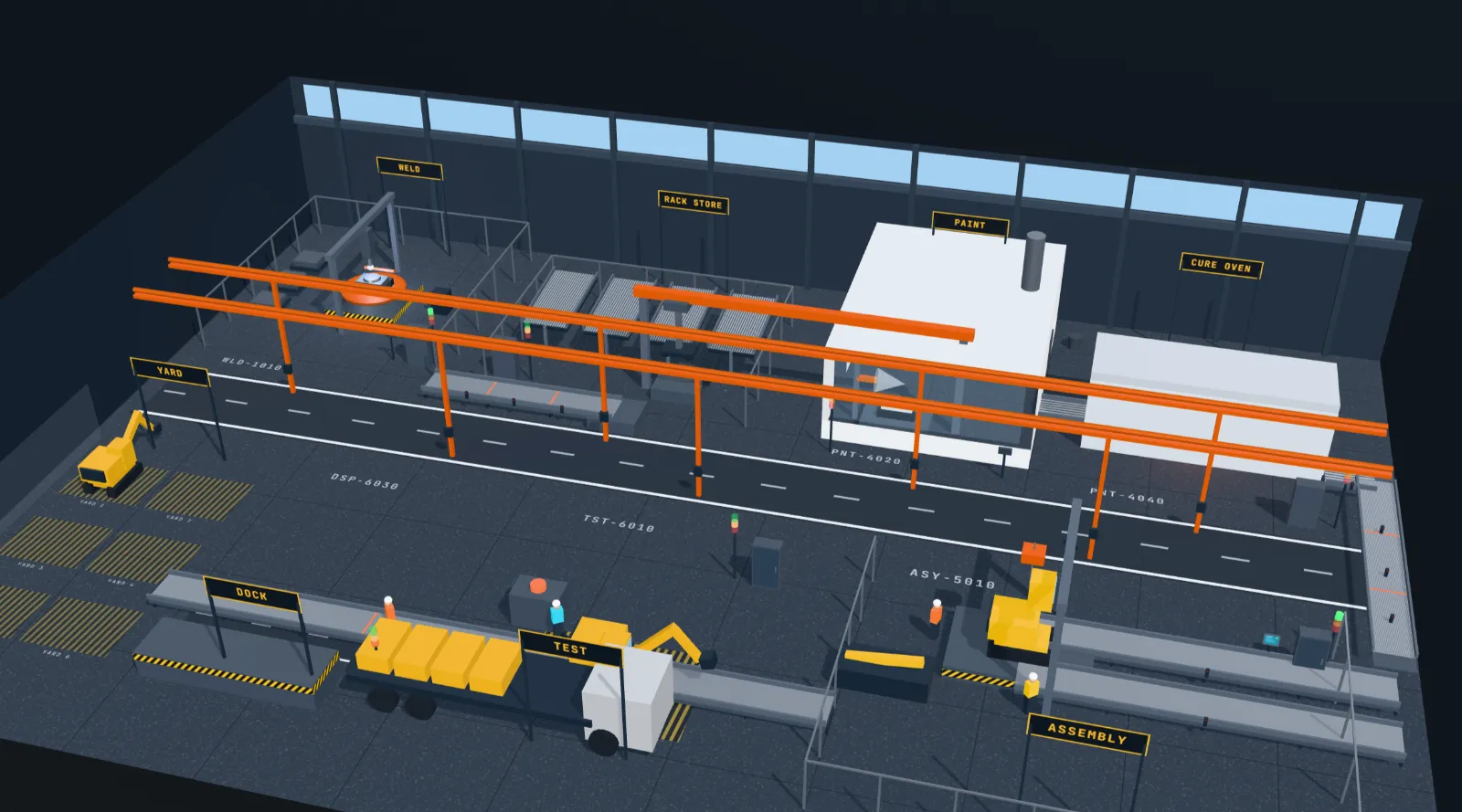
    The last seven work orders share one floor: 55 by 38 metres of shop with a weld bay, a rack store, a portal robot, a spray booth and cure oven, a final-assembly jig, a test bay and a dock with a haulier who will not wait. A factory is not a bigger machine. It is several machines that only work as one, and almost everything hard about it lives in that word.

    work order 48 · excavator line: the weld bay
    The whole excavator line in 3D: a signed shop floor running from the weld bay past the rack store, spray booth and cure oven to final assembly, a test bay, a dock with a loading truck and a yard of finished excavators, with an orange zoned conveyor running the length of the building.

    Seven sections, one scan

    The program is a tree of POUs on a task, not one long ladder. Six sections ship written and read-only; the one you were hired for is empty. A section that writes a relay it does not own is a validation error, not a bug found next week.

    Transport is the program

    Parts do not teleport between stations. The conveyor spine is twelve zones and a seventh program section, so a part left standing on an infeed is a part the station behind it cannot release.

    Correct and good differ

    Every station has a plain program that works and a better one costing about the same number of rungs. Welding every boom twice runs the line and never faults. It also gives away 3.6 seconds on the first two parts, and the par times notice.

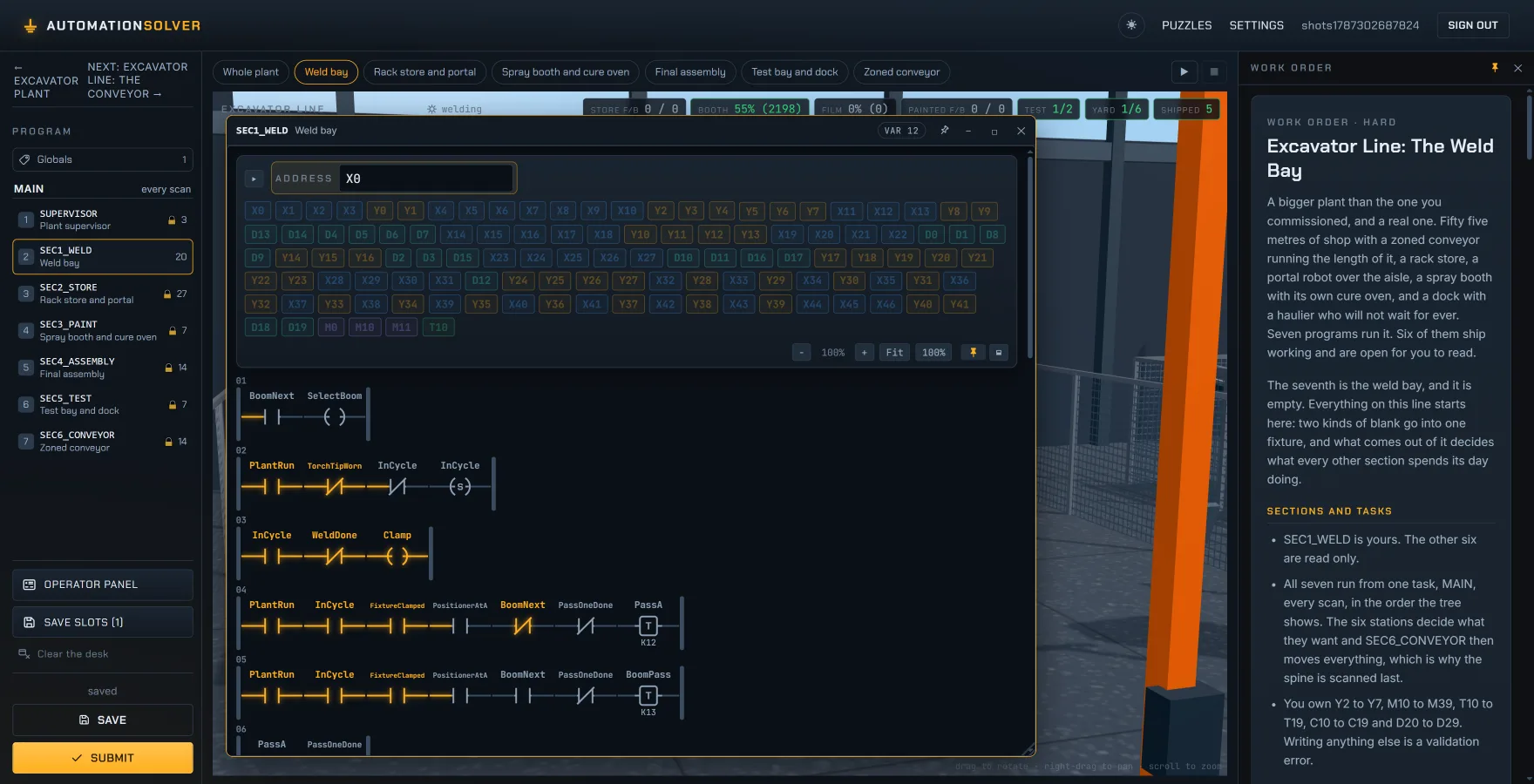
    the plant workspace · sec1_weld, written in names
    The plant workspace: the seven-section program tree on the left with five sections padlocked read-only, the plant scene behind, and a floating window holding the weld bay's ladder, whose contacts are labelled PlantRun, TorchTipWorn, InCycle, FixtureClamped and PositionerAtA instead of raw addresses.

    The plant is the workspace, and the programs float above it in windows you open per section. Rungs here are written in names rather than addresses: a declaration binds FixtureClamped to a bit once, so renaming is free and the engine never learns that variables exist. The capstone hands you all six stations already working and asks the only question that matters on a real line: which one is holding it up?

    Work orders

    Fifty-three jobs, twelve categories

    Each category is its own ladder of difficulty, starting from something you can finish in a minute and ending in a capstone that combines everything in it.

    Basics3 jobsContacts, coils and seal-in logic.
    Timers & Counters4 jobsOn-delay, off-delay, oscillators and counting.
    Stations2 jobsA conveyor index and a two-hand safety press.
    Elevator4 jobsMulti-floor dispatch, up and down latches with a tie-break, and door interlocks.
    Control Cabinet6 jobsWire real 400 V starters terminal to terminal: DOL, two-station, reversing, indication.
    Packaging Machine4 jobsGroup boxes 2, 4 and 16 with pushers, a flipping lift and an out-feed.
    Pick & Place4 jobsIndex a robot arm between an infeed and a tray without overfilling it.
    Drill Station4 jobsClamp, spin up, drill and sort mixed stock through one automatic station.
    Process Control5 jobsScale a transmitter, build a P regulator by hand, then let a PID block kill the offset.
    Motion Control4 jobsSpeed references, drive ramp parameters and the stopping distance a load implies.
    Automated Warehouse6 jobsDrive a stacker crane by position sensor, search the stock table for the nearest slot, and keep two lines fed.
    Excavator Plant7 jobsNot a machine but a line: seven program sections over one floor, ending in a capstone that hands over every station already working and asks you to make it earn more.

    Scoring is 85 marks for scenarios passed plus 15 for performance, and the performance marks only land once everything passes. Sequencing jobs spend them on cycle time against a declared par; regulating jobs spend them on integral of absolute error. So a correct but leisurely program is solved and unlocks what follows, and still has to be pipelined to reach 100.
    One engine, both sides

    The client and the server run the same simulation

    packages/client

    Grid ladder editor

    Contacts and coils drop onto a rung grid, just like a real MELSEC program. Series is AND, parallel branches are OR, and every scan the solver floods power from the left rail so you see exactly which cells are live.

    packages/shared

    Deterministic scan cycle

    A pure-TypeScript engine with zero runtime dependencies. It advances only by an explicit dt, never the wall clock, so the same program always produces the same trace. The lint config bans Date and Math.random here to keep it true.

    packages/server

    Authoritative grading

    Submit, and the server replays your program through the same engine against scripted scenarios, machine dynamics included. Client and server agree bit for bit, by construction.

    That is the architectural bet of the whole project: one simulation engine, shared by live play and grading. There is no second implementation to drift, and this page is not an exception to it. The demo at the top imports that engine: the scan animating the rung, the validator that checks its structure and the grader that scored it when you pressed Submit are the shipped code, running work order 02's real scenarios in your browser.

    Run it locally

    Clone, install, play

    git clone https://github.com/CuplexUser/AutomationSolver.git
    cd AutomationSolver
    npm install # no native modules, no C++ toolchain
    npm run dev # server on :4000, client on :5173

    Open http://localhost:5173, create an account, and start solving. The database is Node's built-in node:sqlite and password hashing is node:crypto scrypt, so npm install works on a fresh machine with nothing but Node. This page is the project's landing page: the full game needs the local server, which is what grades you.